Images - Sales Tax Revenue
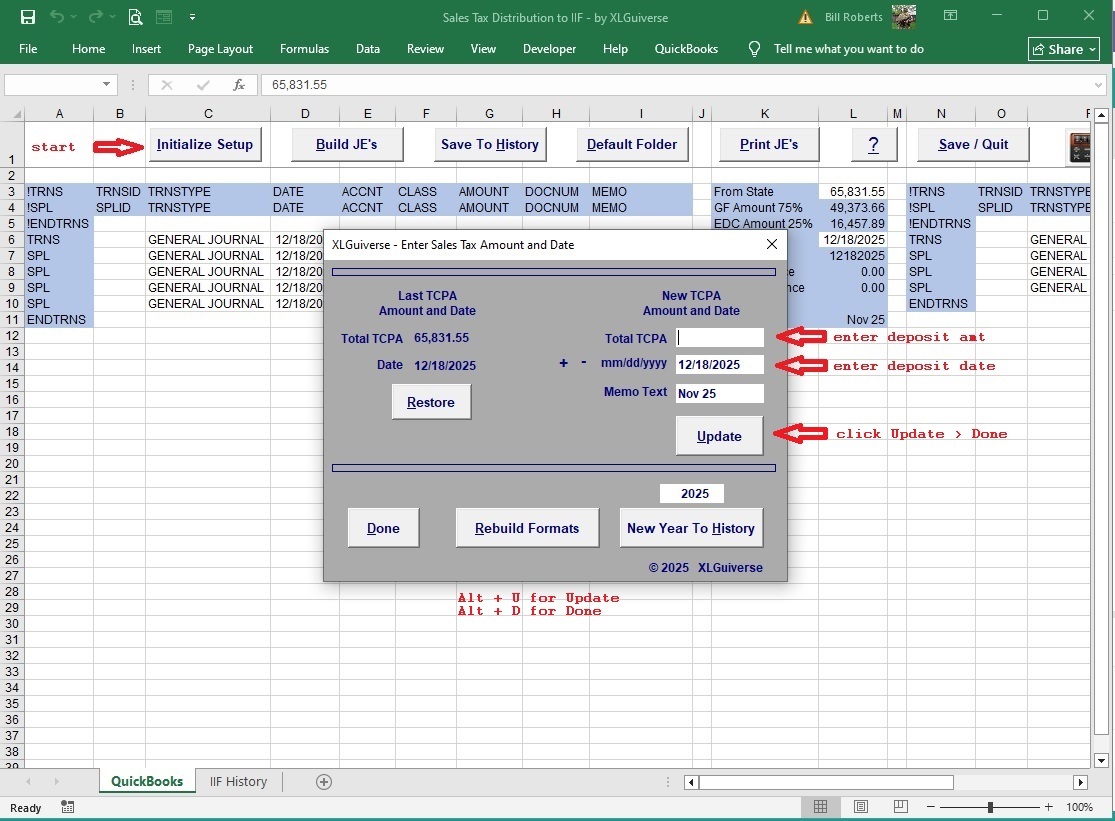
Sales Tax Revenue - Landing Screen on Open
Enter Amount and Date - click 'Update' > 'Done'.
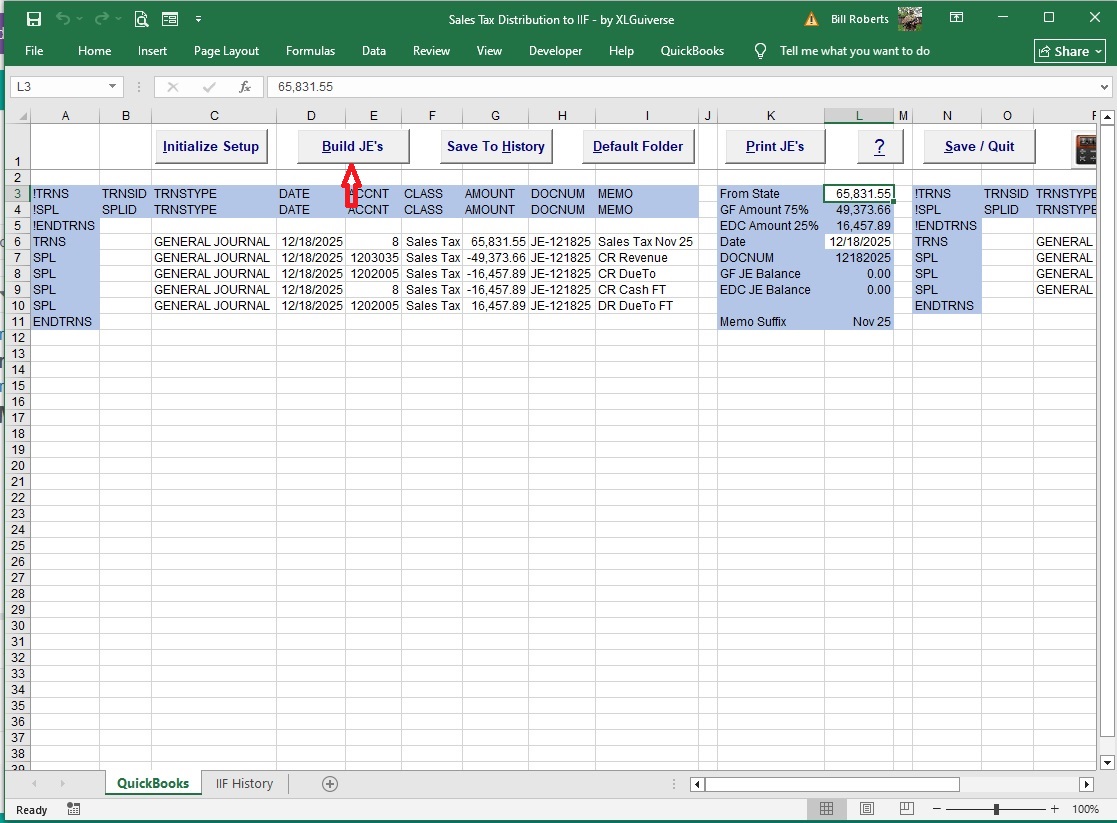
Sales Tax Revenue - Build IIF Import Files
Click To Start the IIF Builder
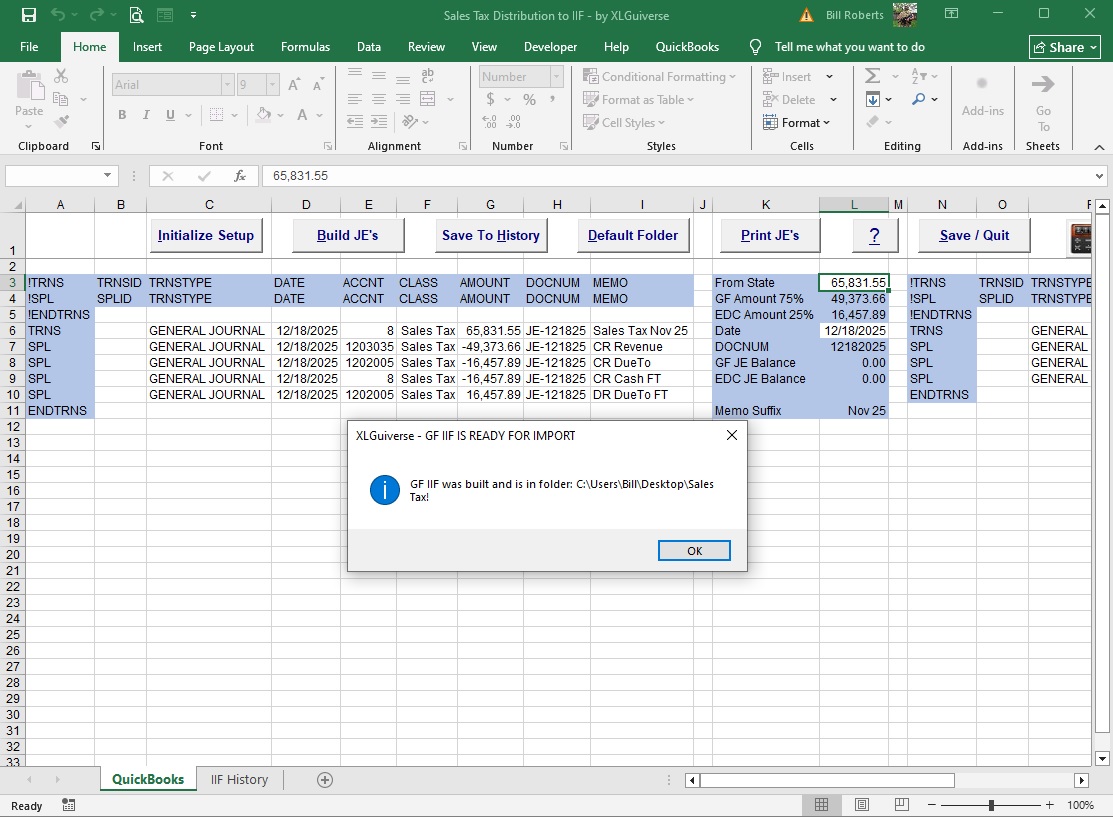
Sales Tax Revenue - Build IIF Import Files
Confirmation Dialog - GF IIF Built and Saved in Default Folder.
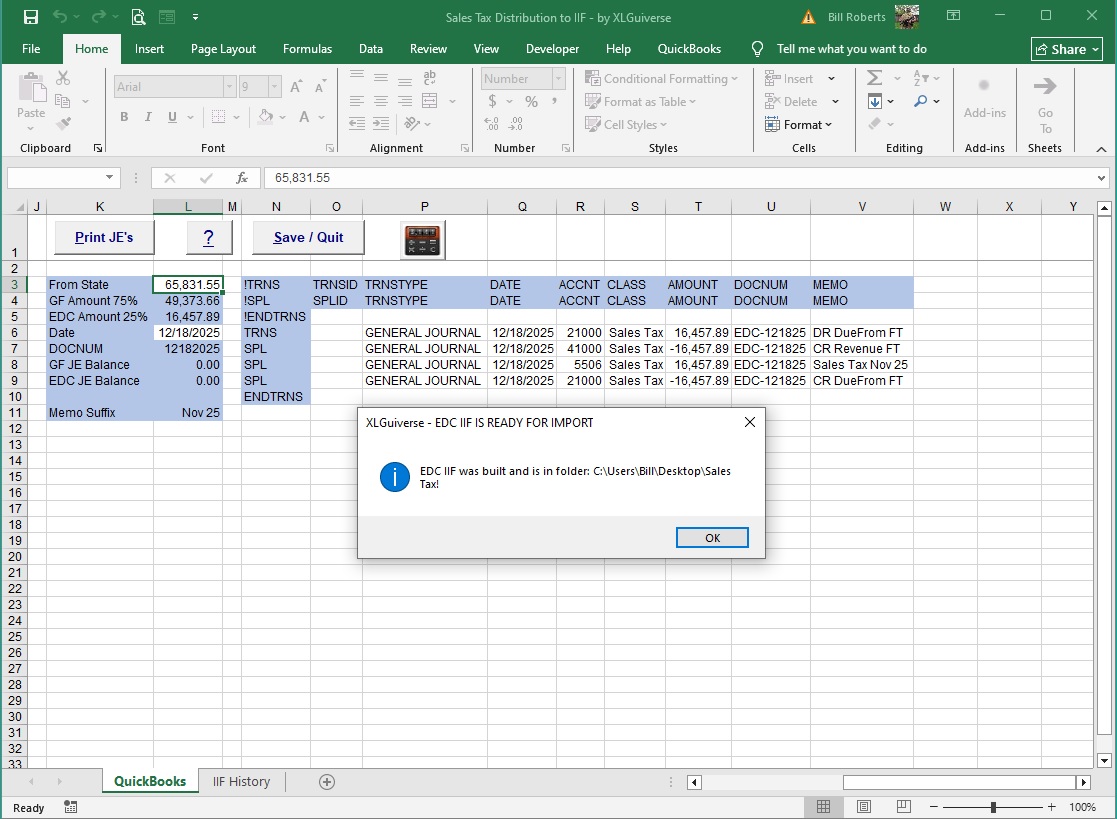
Sales Tax Revenue - Build IIF Import Files
Confirmation Dialog - EDC IIF Built and Saved in Default Folder.
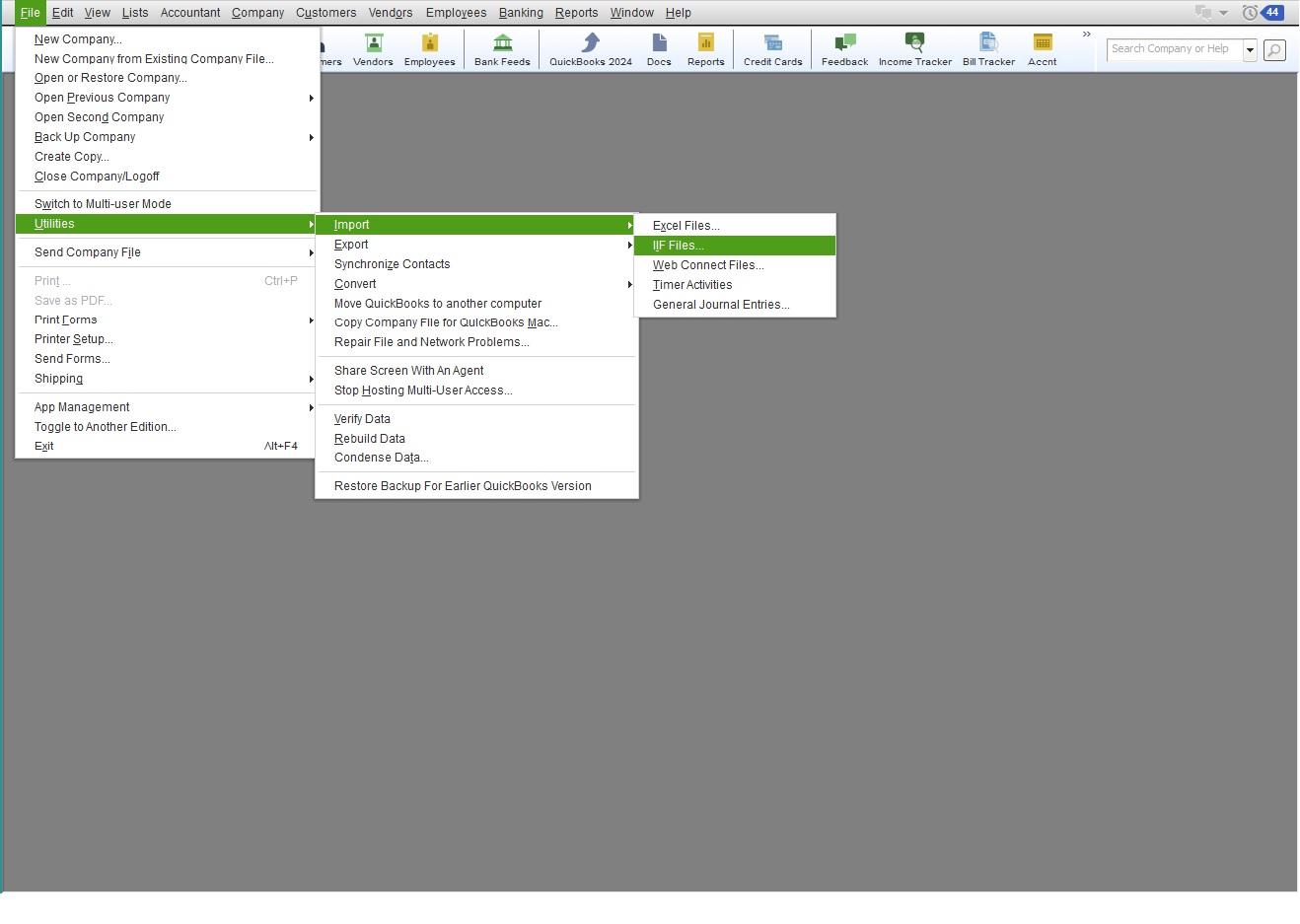
Sales Tax Revenue - QBDT Menu > Import Files
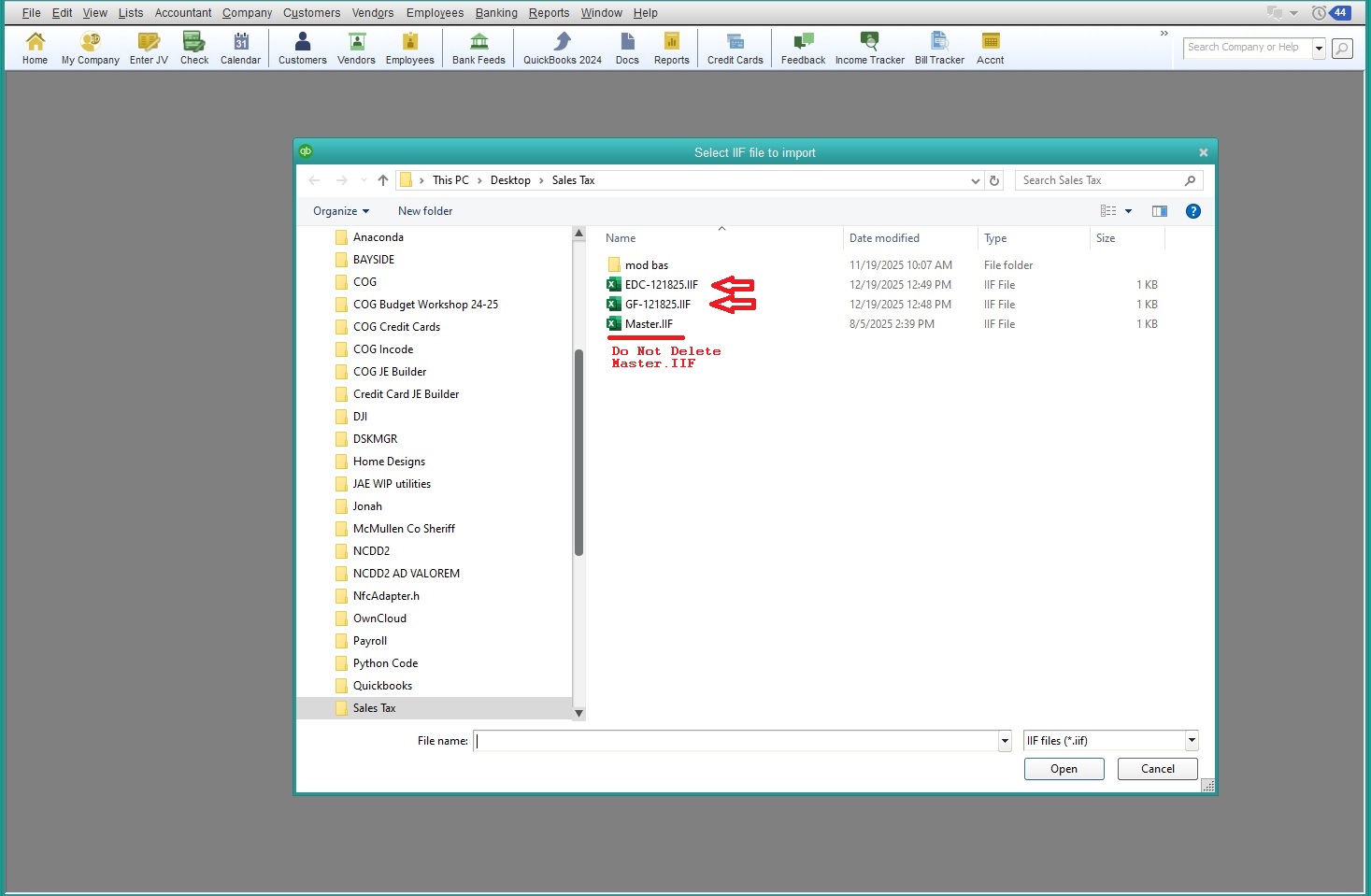
Sales Tax Revenue - QBDT Menu > Import Files > File Picker
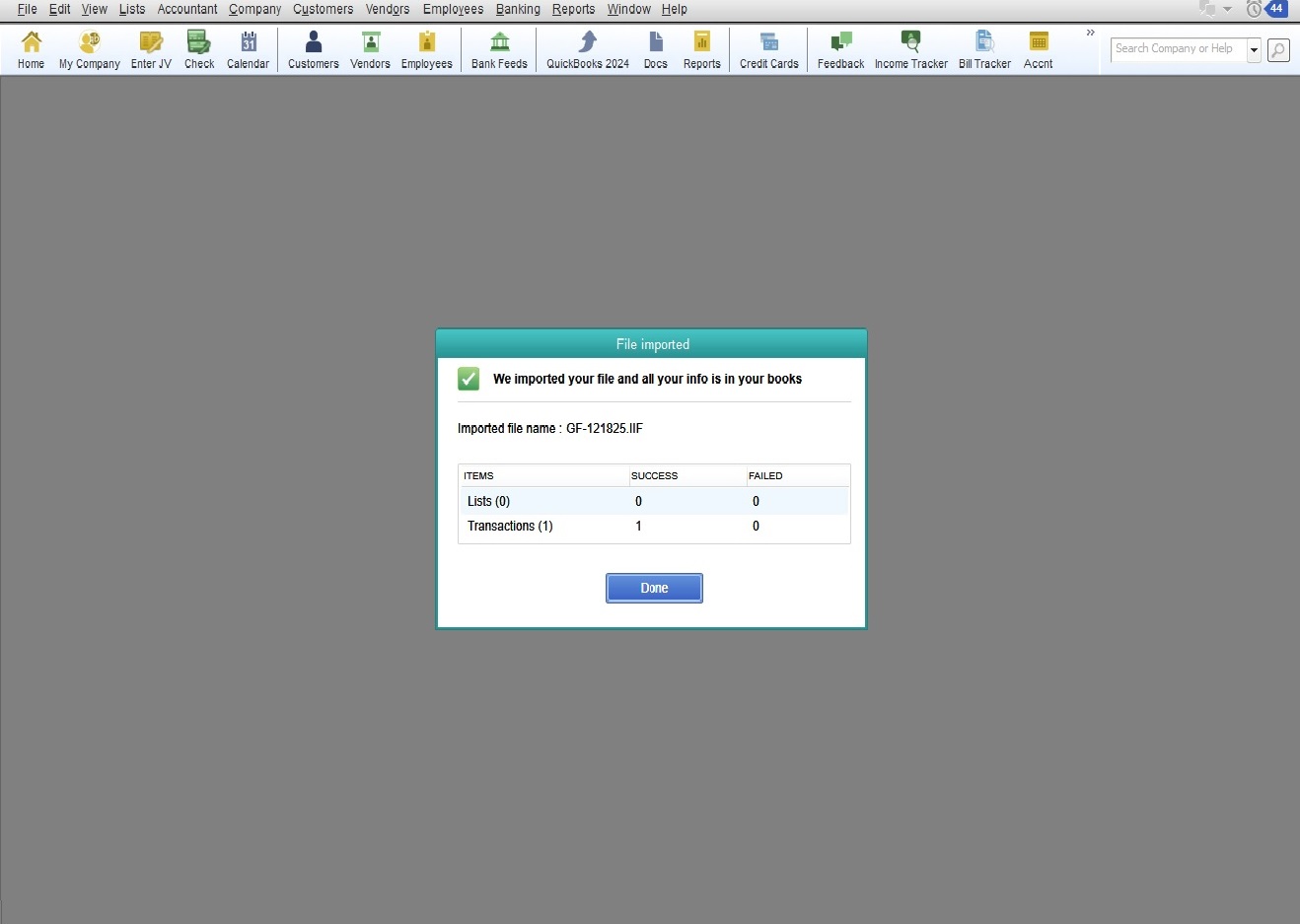
Sales Tax Revenue - Dialog IIF Import Complere
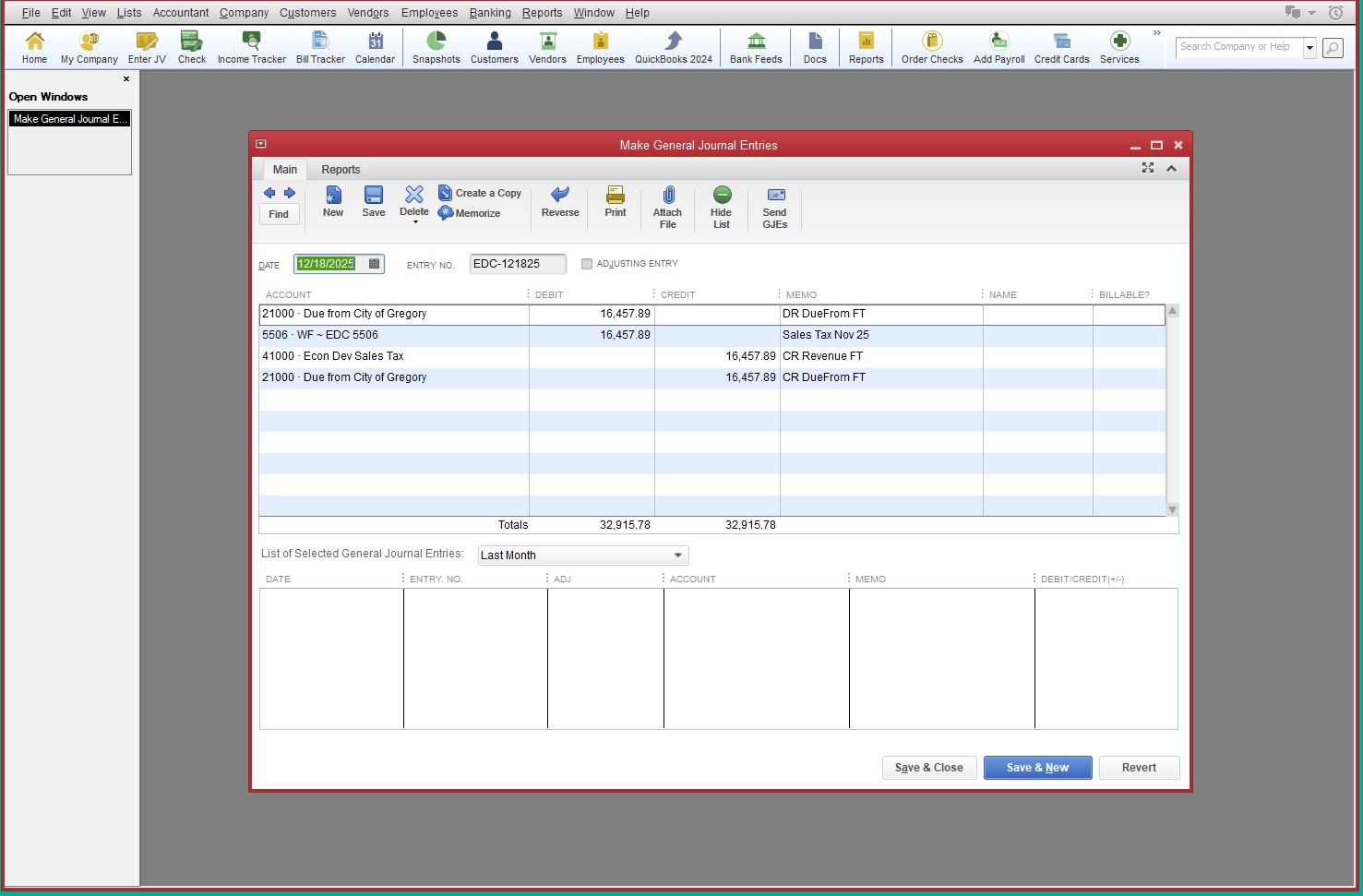
Sales Tax Revenue - GF Journal Entry
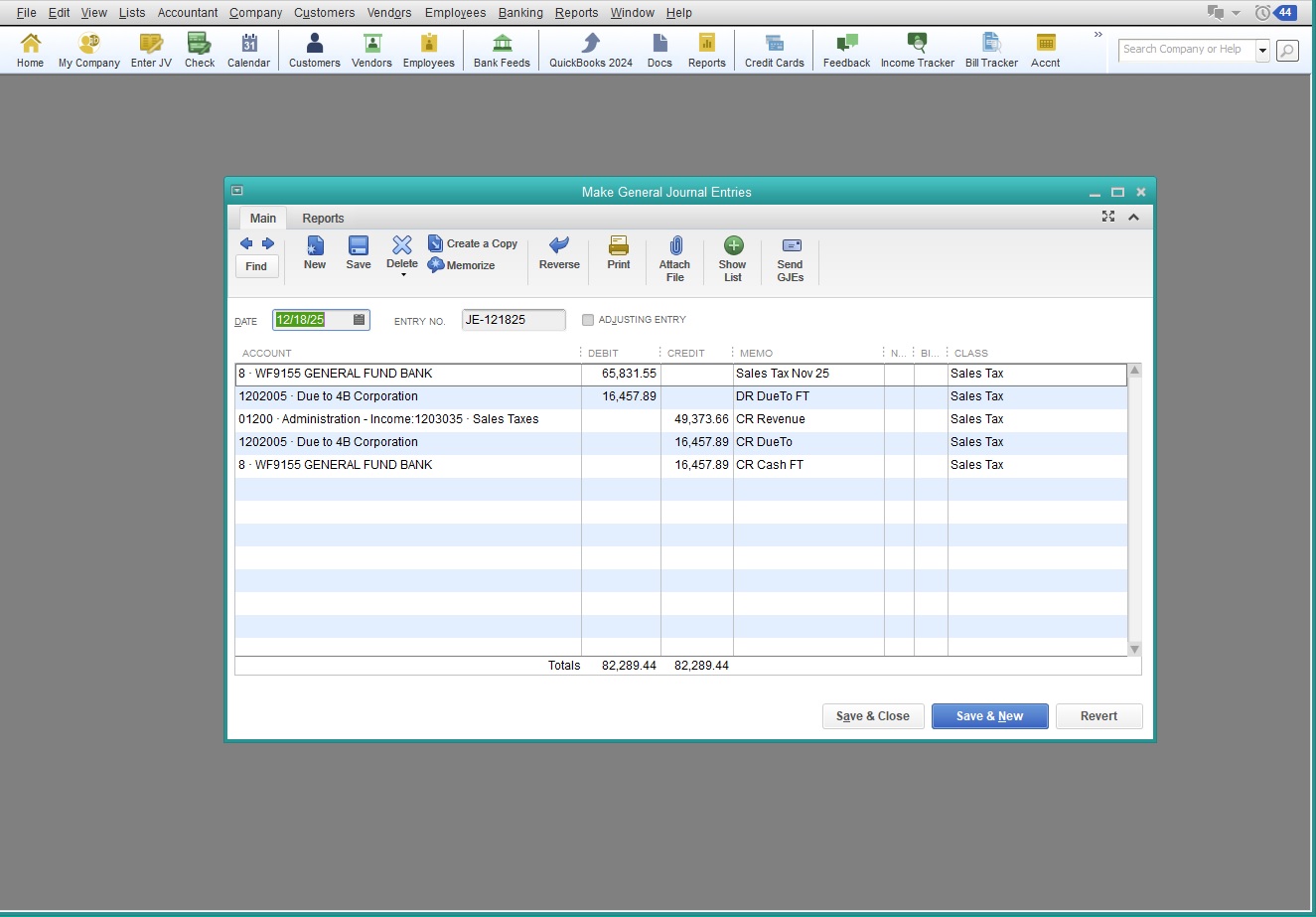
Sales Tax Revenue - GF Journal Entry
Sales Tax Revenue - Splash Screen Save and Quit.
If you already have QBDT™ GF open, this routine literally takes less than 5 minutes!
Don't forget to make the Deposits and Fund Transfers at the Bank - and you're done!
These are the Basics! Below is a Link to an Instructional Video.
If you have OneDrive enabled - install this product in its own dedicated Folder under C:\
If you do not have OneDrive enabled - install this product in its own dedicated Folder on your Desktop
Trust us on this one - it builds IIF files and PDF's. You don't want them scattered all over your Desktop!
Video and Link comming soon!
We just push their products to do more things → Texas-style!